IMAGE WORKFLOW
Remove Gemini Watermark From Image
Use the image guide when the visible Gemini mark is on a PNG, JPG, or WebP file and you need a clean copy for a design, thumbnail, or draft.
Open the image watermark guideGemini watermark removal resource hub
Find the right way to remove Gemini watermark from an image or video. These guides cover the Gemini AI watermark remover, Gemini logo remover, Gemini icon remover, supported file types, browser steps, and the checks to make before saving a cleaned copy.
Start with the matching workflow
The file type and the visible mark determine which page is useful. Use the route below that matches your task instead of reading four similar explanations.
IMAGE WORKFLOW
Use the image guide when the visible Gemini mark is on a PNG, JPG, or WebP file and you need a clean copy for a design, thumbnail, or draft.
Open the image watermark guideVIDEO WORKFLOW
Go to the video cleaner for a short MP4, WebM, or MOV clip. The video page explains the preview, download access, and current free-use limits.
Open the video watermark removerLOGO AND ICON
Choose this route when your search is about the visible Gemini logo or icon in an image. It explains the small corner-mark workflow and its boundaries.
Open the Gemini icon removerFREE WORKFLOW
Start with the free-removal guide if you want to understand browser processing, source files, daily access, and what to check before saving.
Read the free remover guideBrowser workflow overview
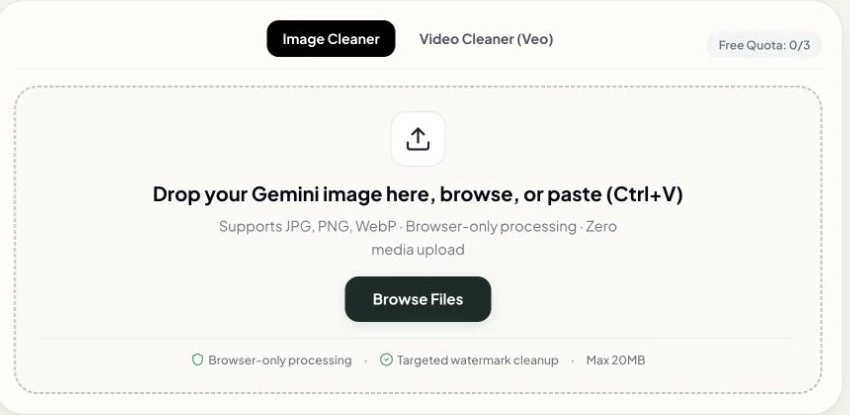
The tool handles the visible Gemini watermark in a short browser workflow. Add the original file, let the matching image or video mode process it, and check the result before saving. You can begin with the tool before signing in; account limits and protected downloads are shown when they apply.
Select the workflow that matches the file you want to clean.
Drop a supported PNG, JPG, WebP, MP4, WebM, or MOV file into the tool.
Let the browser process the expected corner area containing the visible Gemini watermark.
Check the cleaned result, then download it without replacing the original file.
Match the file before uploading
The remover is designed around a visible Gemini corner mark. Pick the image or video mode that matches the source and keep the original download available for comparison.
Use PNG, JPG, or WebP files when the Gemini logo or sparkle is visible in the expected corner.
Best starting point: the original Gemini image download.
Use MP4, WebM, or MOV clips in the video cleaner when the visible Gemini mark appears in the video frame.
Best starting point: a short original clip.
Single-file browser cleaning is available in the tool. Multiple-file processing and ZIP download are account or plan gated.
See current access rulesKnow the target before you clean
A Gemini watermark removal workflow is useful when the problem is a small, visible corner mark. That clear scope helps you select the right page and prevents wasted attempts on a different kind of overlay.
The image or video contains the recognizable Gemini sparkle or logo in the expected corner.
Review the processed result, then move the separate copy into a thumbnail, layout, presentation, or edit.
Large text overlays, repeated watermarks, moving marks, and unrelated logos may need manual editing.
Search-intent guide library
Each article answers a different question. One focuses on removing the Gemini logo from an image, one explains the image workflow, one covers the Gemini AI watermark remover wording, and one addresses the free-remover search intent.
how to remove gemini logo from image
Learn how to remove the small Gemini logo from an image, inspect the corner at full size, and prepare a clean copy for a design or layout.
Read the full workflow guideremove gemini watermark from image
A practical image workflow for removing the visible Gemini watermark, preserving source dimensions, and checking the cleaned result before export.
Read the full workflow guidegemini ai watermark remover
Understand the difference between a visible Gemini watermark and invisible provenance data, then choose the right AI watermark removal workflow.
Read the full workflow guidegemini watermark remover free
Use a free Gemini watermark remover workflow without desktop software. Learn the current free limits, file preparation steps, and when Pro access helps.
Read the full workflow guidegemini watermark synthid
Removing the visible Gemini sparkle does not remove SynthID, the invisible watermark Google embeds in Nano Banana images and Veo videos. Here is what each one is and what that means for you.
Read the full workflow guideBefore the final download
A fast visual check gives you a reliable handoff to the next app or publishing channel.
Answers about file types, browser use, visible corner marks, and the right guide to open next.
Open the browser tool for an image or Veo video, or choose the dedicated page when your file needs a logo, icon, or video workflow.